See TimeTrack in Action

Real screenshots from the app. See what managers and staff experience every day — on desktop and on the go.

Manager View

Dashboard — Your Business at a Glance

See who's working right now, total hours today and this month, hours by duty, and staff status. Charts show trends over the last 14 days so you can spot patterns.

  • Live staff count and hours today
  • Hours by duty breakdown (pie chart)
  • Hours by employee bar chart
  • Pending leave requests and active jobs
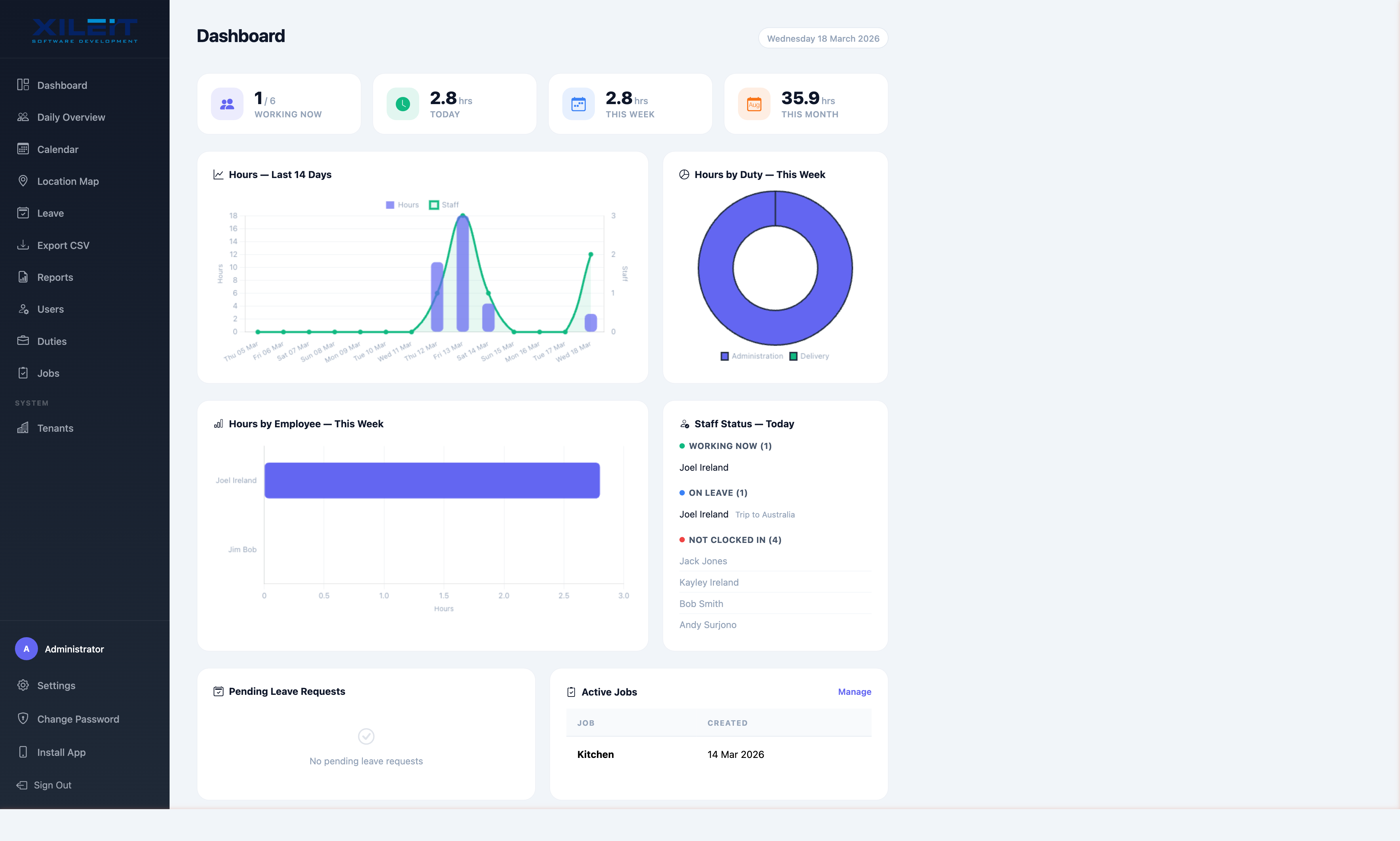
TimeTrack Manager Dashboard
Manager View

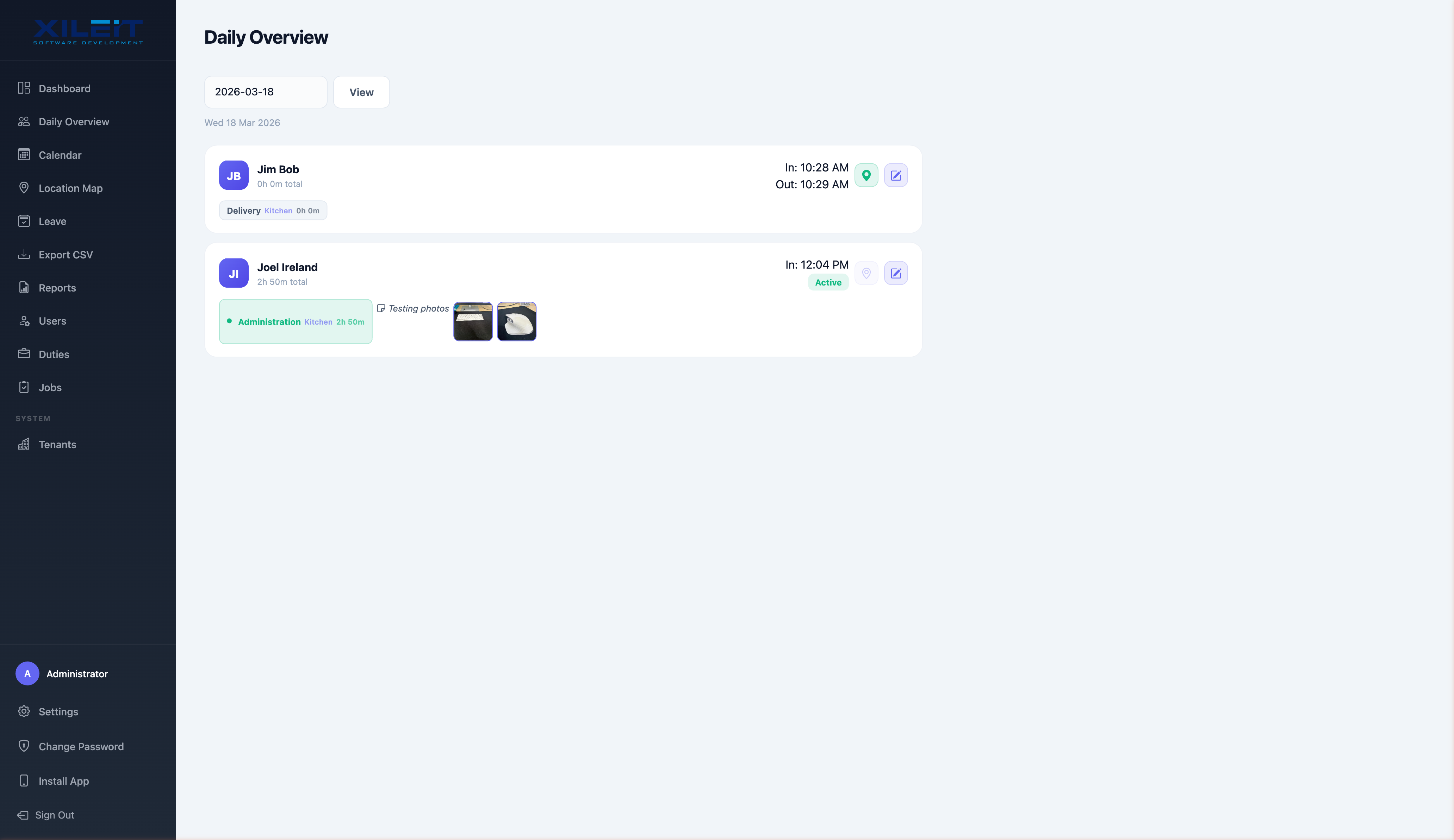
Daily Overview — See Every Entry

Review each crew member's clock-in/out times, duty assignments, notes, and work photos — all on one screen. Edit entries if corrections are needed.

  • Staff time entries with duty badges
  • Inline work photos and notes
  • GPS location pins per entry
  • Quick-edit for corrections
TimeTrack Daily Overview
Manager View

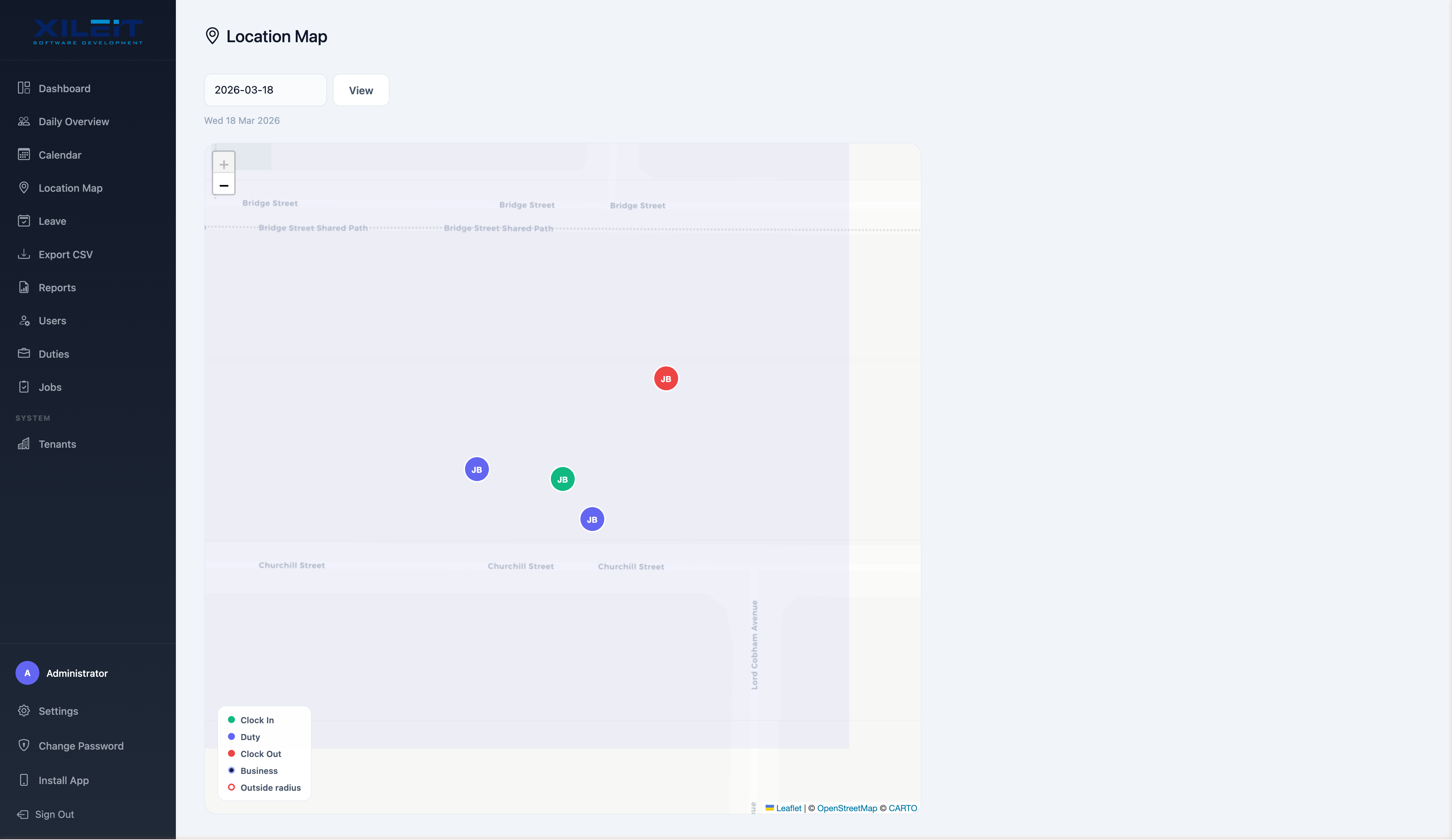
GPS Location Map

See exactly where your crew clocked in, switched duties, and clocked out — plotted on an interactive map. Colour-coded markers distinguish clock-ins, duties, and clock-outs.

  • Interactive map with crew locations
  • Colour-coded: clock in, duty, clock out
  • Filter by date
  • Business location marker
TimeTrack GPS Location Map
Manager View

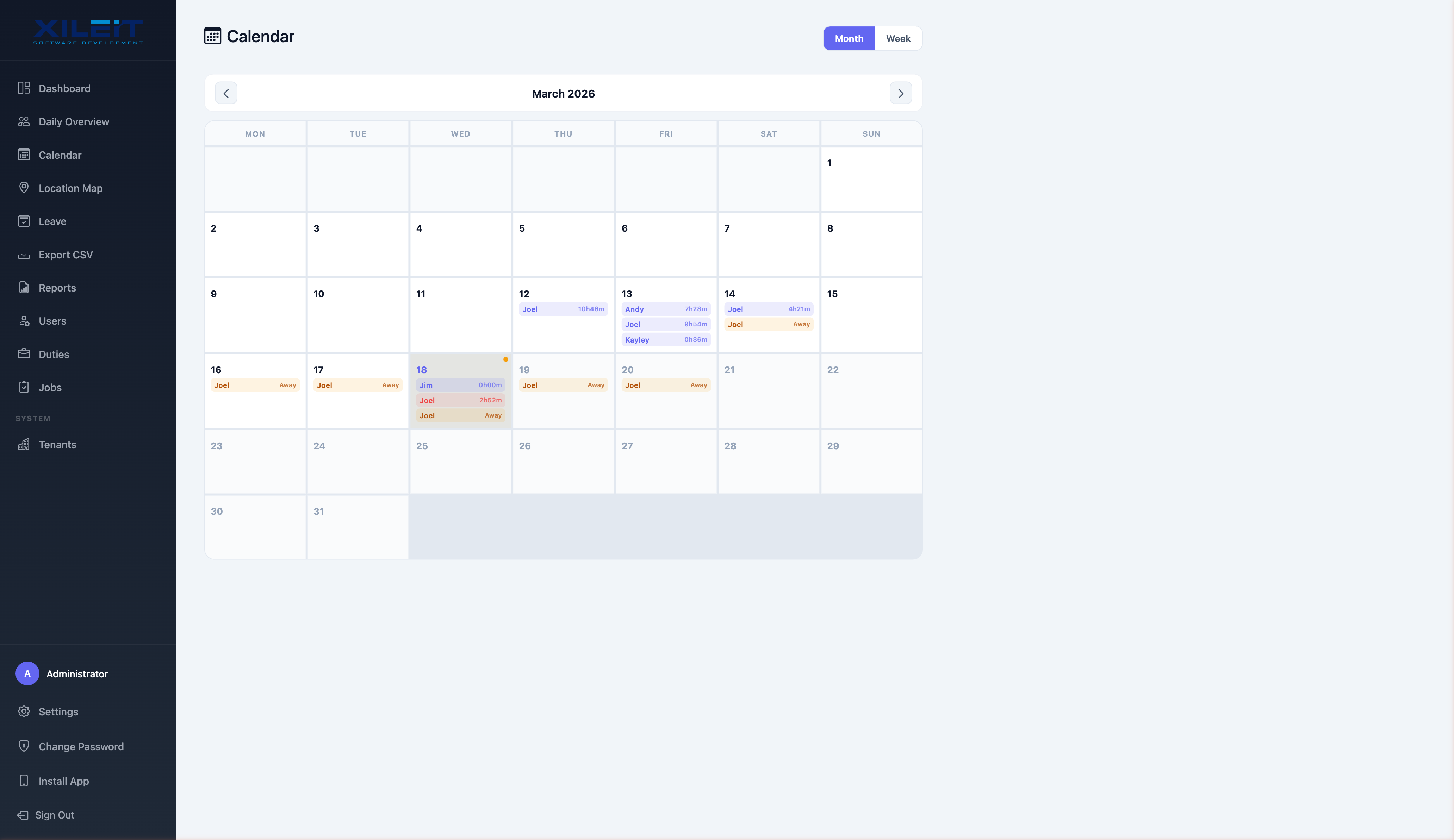
Calendar — Month at a Glance

See everyone's hours and leave for the whole month on one calendar. Colour-coded entries show working hours and leave days so you can plan resources easily.

  • Month and week views
  • Staff hours per day
  • Leave days highlighted
  • Click any day for details
TimeTrack Calendar View
Manager View

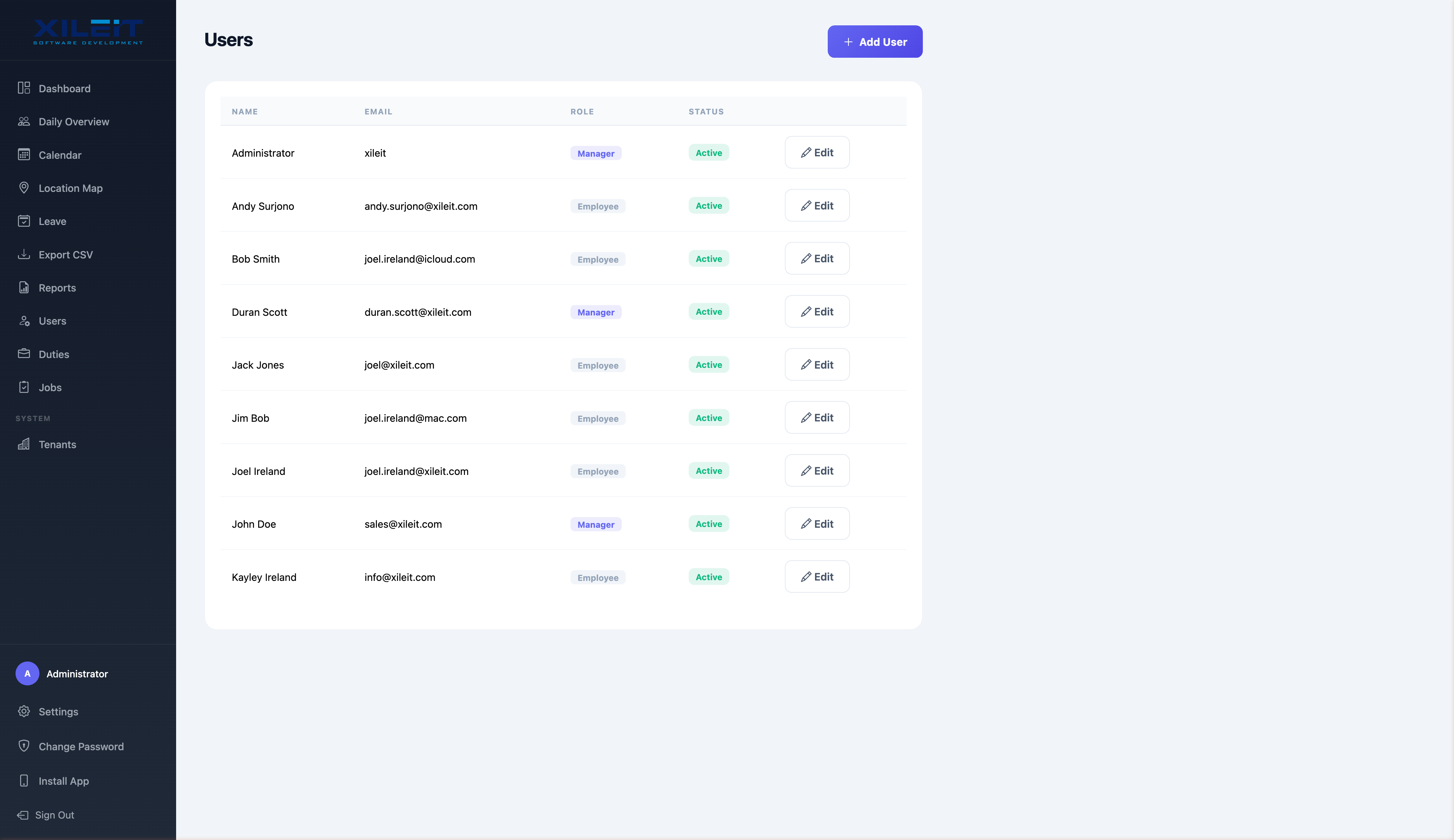
User Management

Add, edit, and manage your team in seconds. Set roles (manager or employee), toggle active status, and see everyone at a glance.

  • Add users with one click
  • Manager and employee roles
  • Active/inactive status
  • Welcome email sent automatically
TimeTrack User Management
Manager View

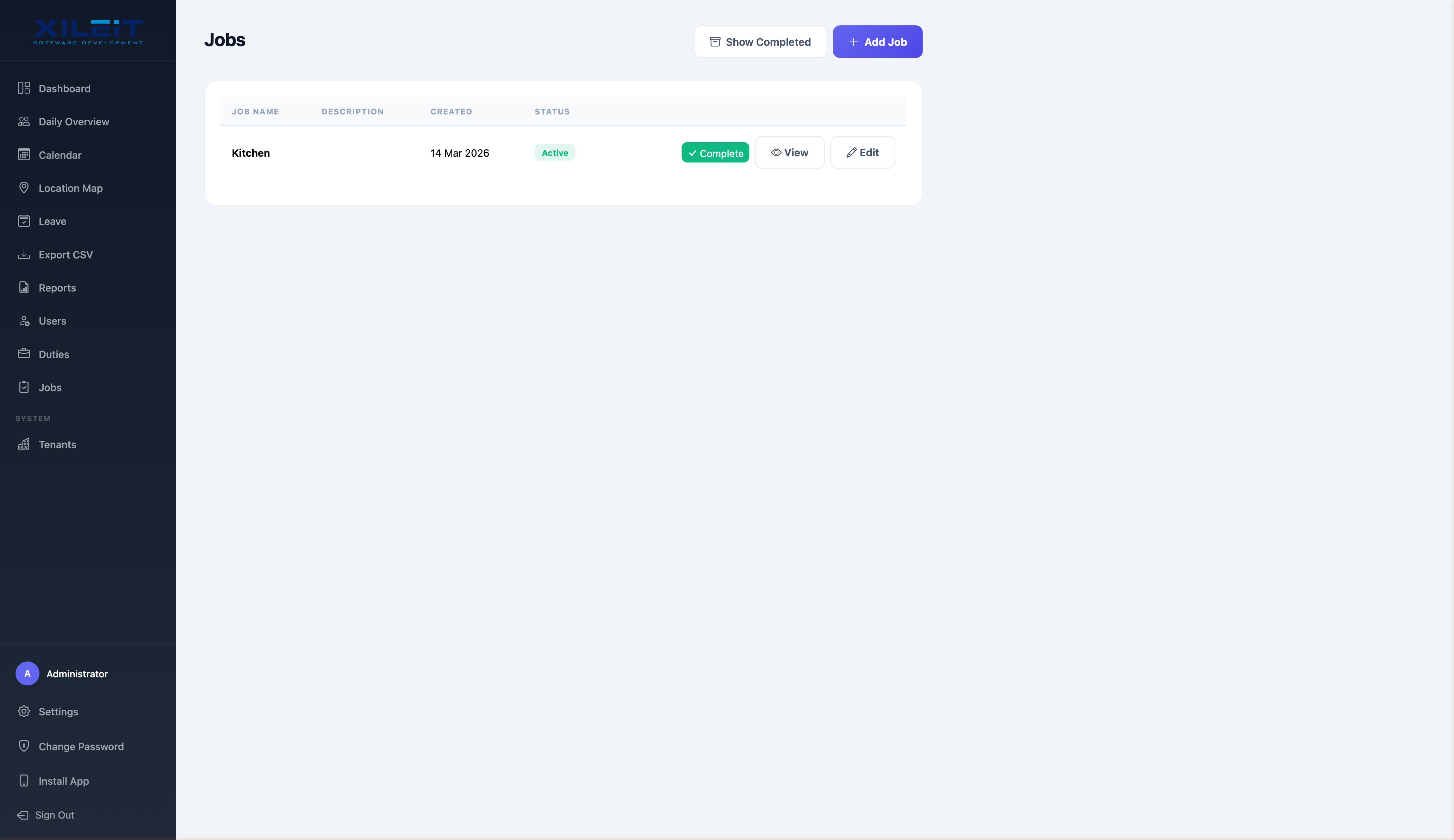
Job Tracking

Create jobs for each site or client. Staff select their job when clocking in so you always know where labour costs are going. Mark jobs complete when finished.

  • Create and manage jobs
  • Track hours per job
  • View job detail with photos
  • Mark complete when done
TimeTrack Job Management
Manager View

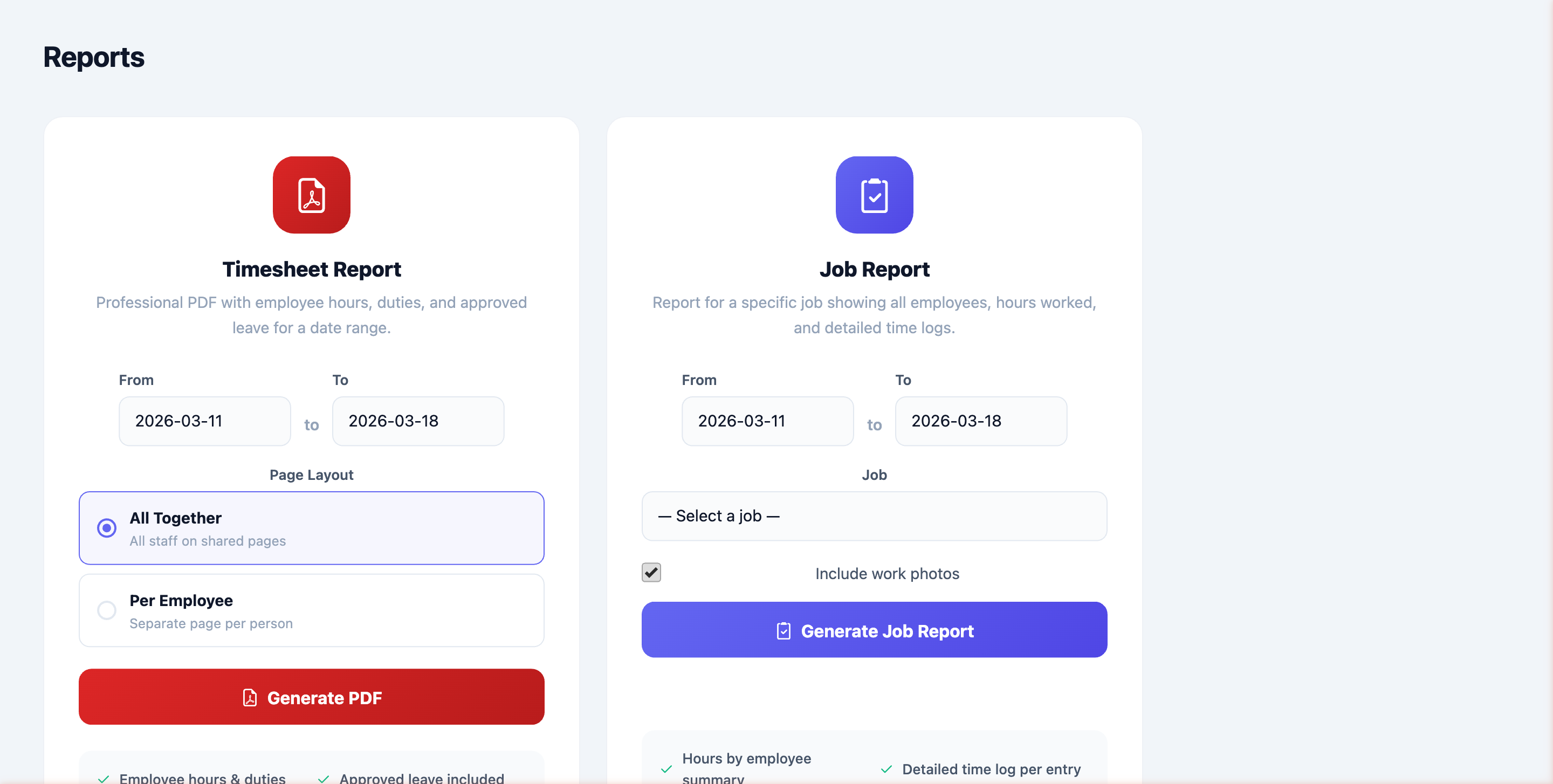
PDF Reports — Timesheet & Job

Generate professional PDF reports in one click. Timesheet reports cover employee hours, duties, and approved leave. Job reports break down labour by site with work photos included.

  • Timesheet PDF with hours & duties
  • Per-employee or combined layout
  • Job report with photos & notes
  • Company logo on every report
TimeTrack PDF Reports
NEW FEATURE

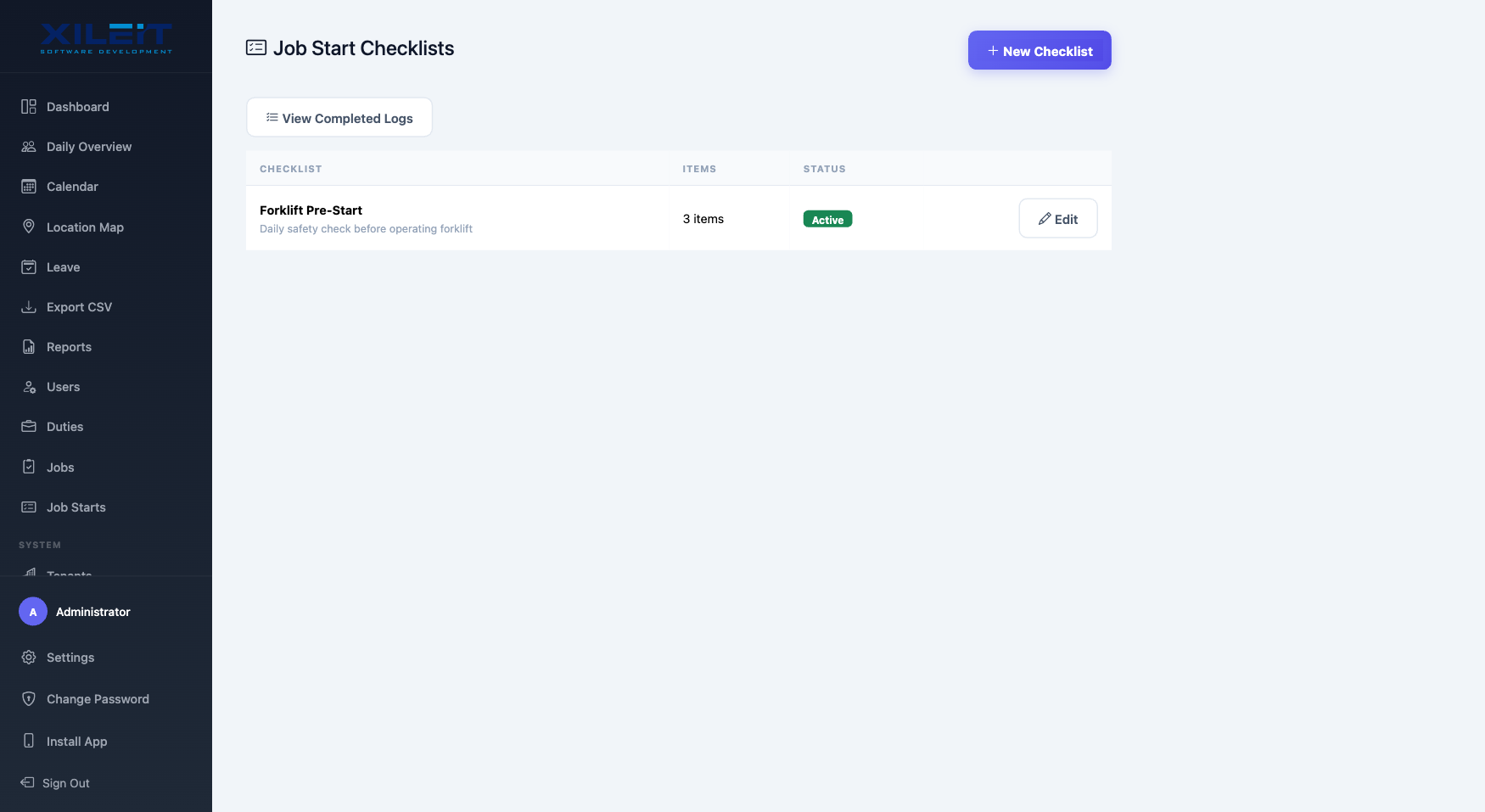
Pre-Start Safety Checklists

Create custom safety and equipment checklists that your crew completes before starting work. Managers define the questions, staff fill them in on site with text answers and photo evidence.

  • Create checklists with custom check items
  • Staff complete with answers & photos
  • View all submissions with filters
  • PDF checklist report for compliance
TimeTrack Job Start Checklists
NEW FEATURE

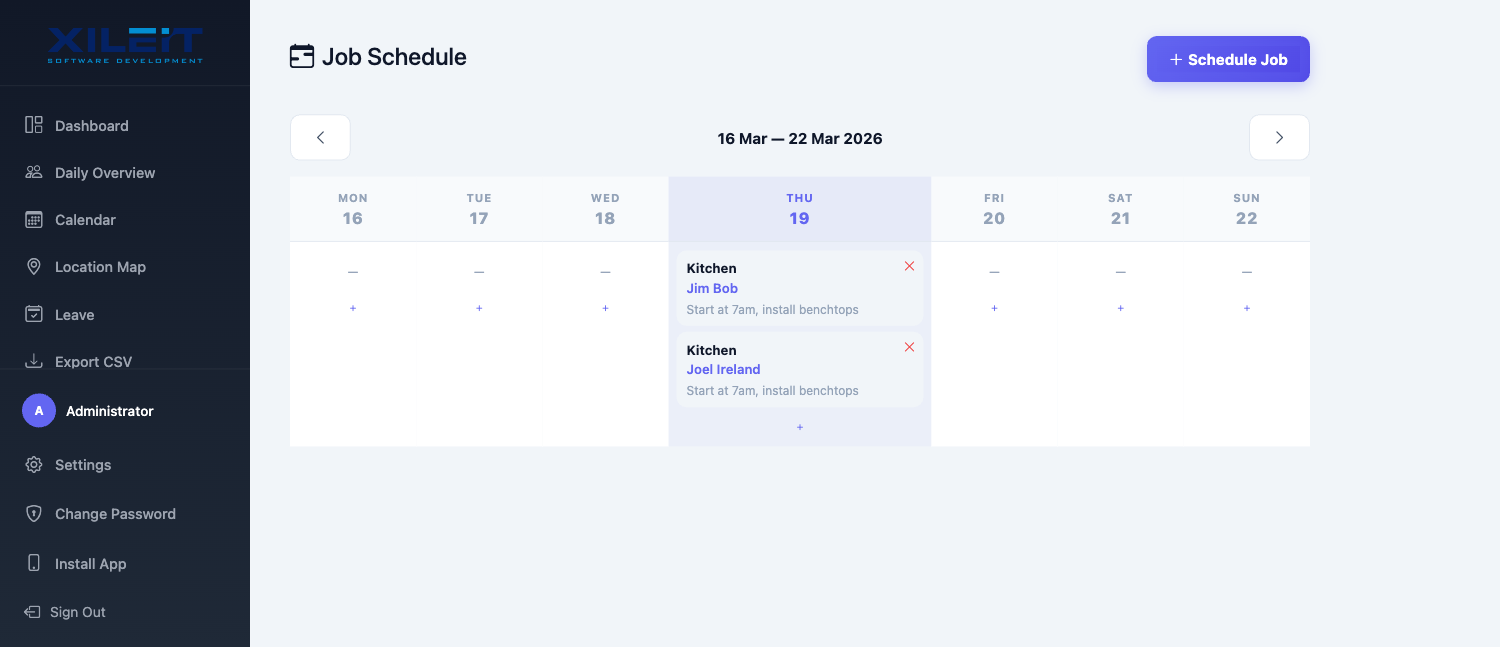
Job Scheduling

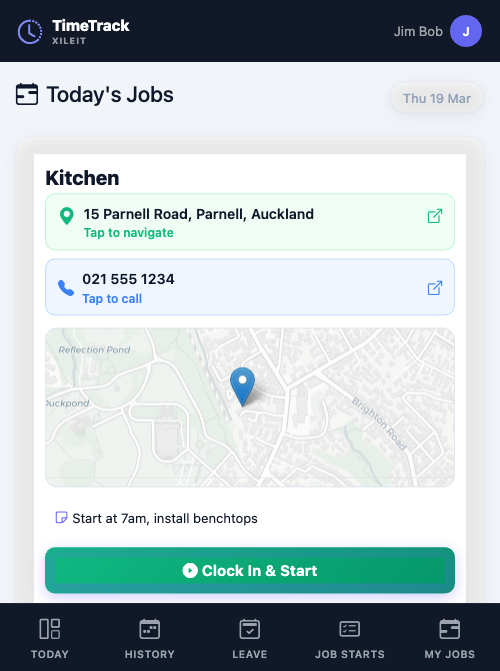
Assign your crew to jobs for specific dates. The weekly schedule view lets you see who's working where across the whole week. Add job addresses and phone numbers so staff can navigate and call directly.

  • Weekly schedule grid with day-by-day view
  • Assign multiple users to a job in one go
  • Job addresses with map preview for staff
  • Tap-to-navigate & tap-to-call on mobile
TimeTrack Job Schedule Week View

Your Crew's View — From Any Phone

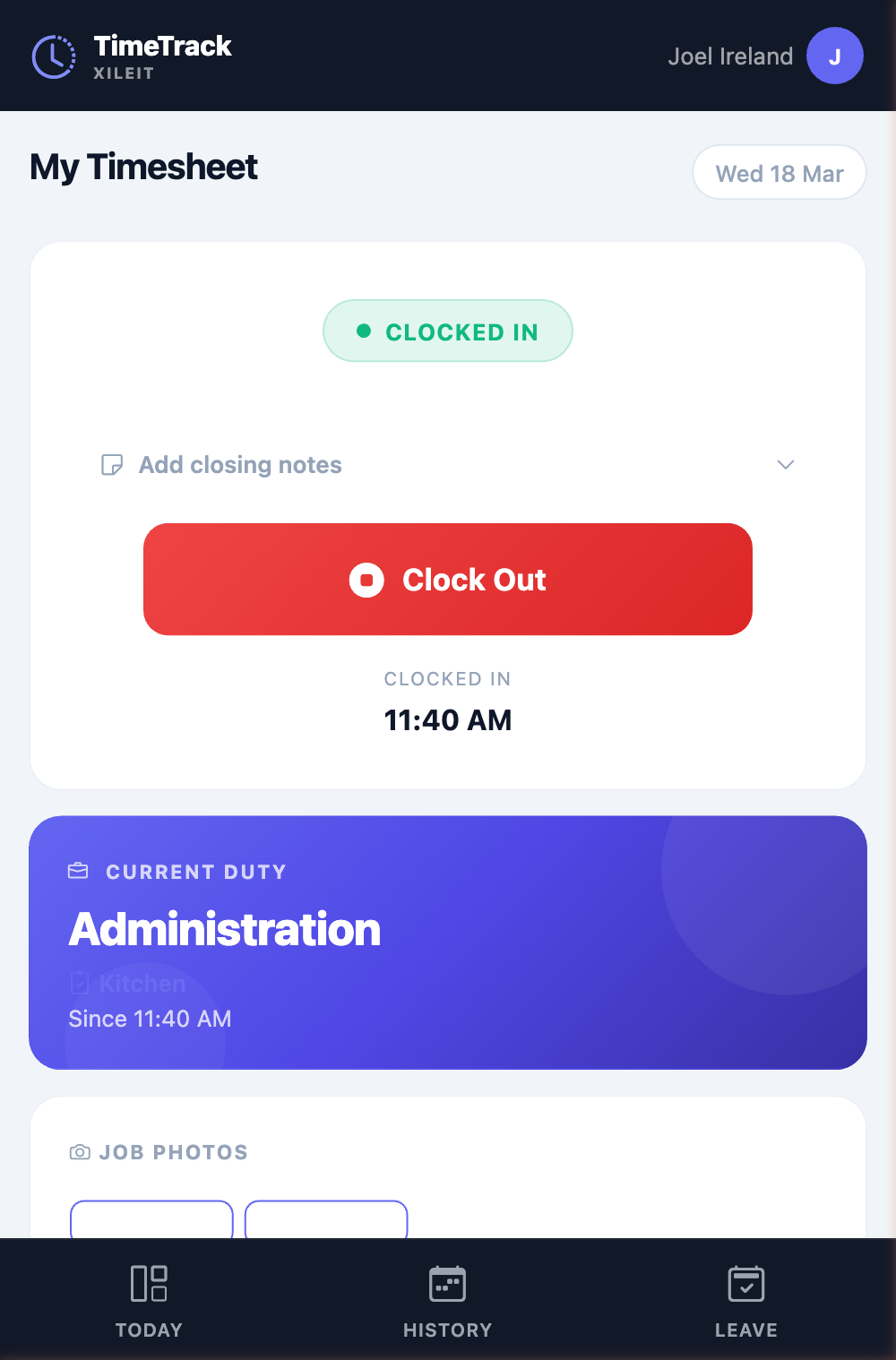
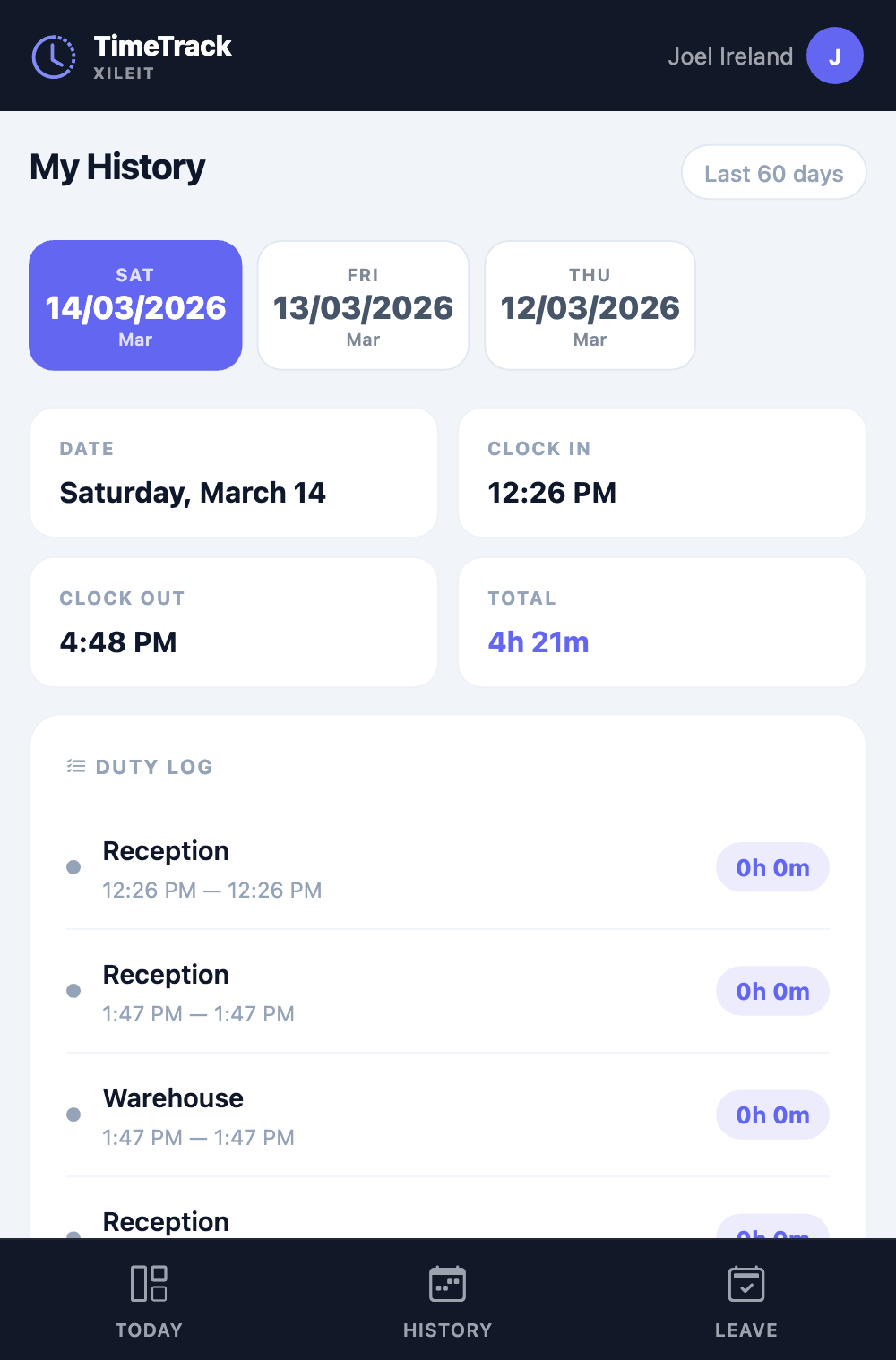
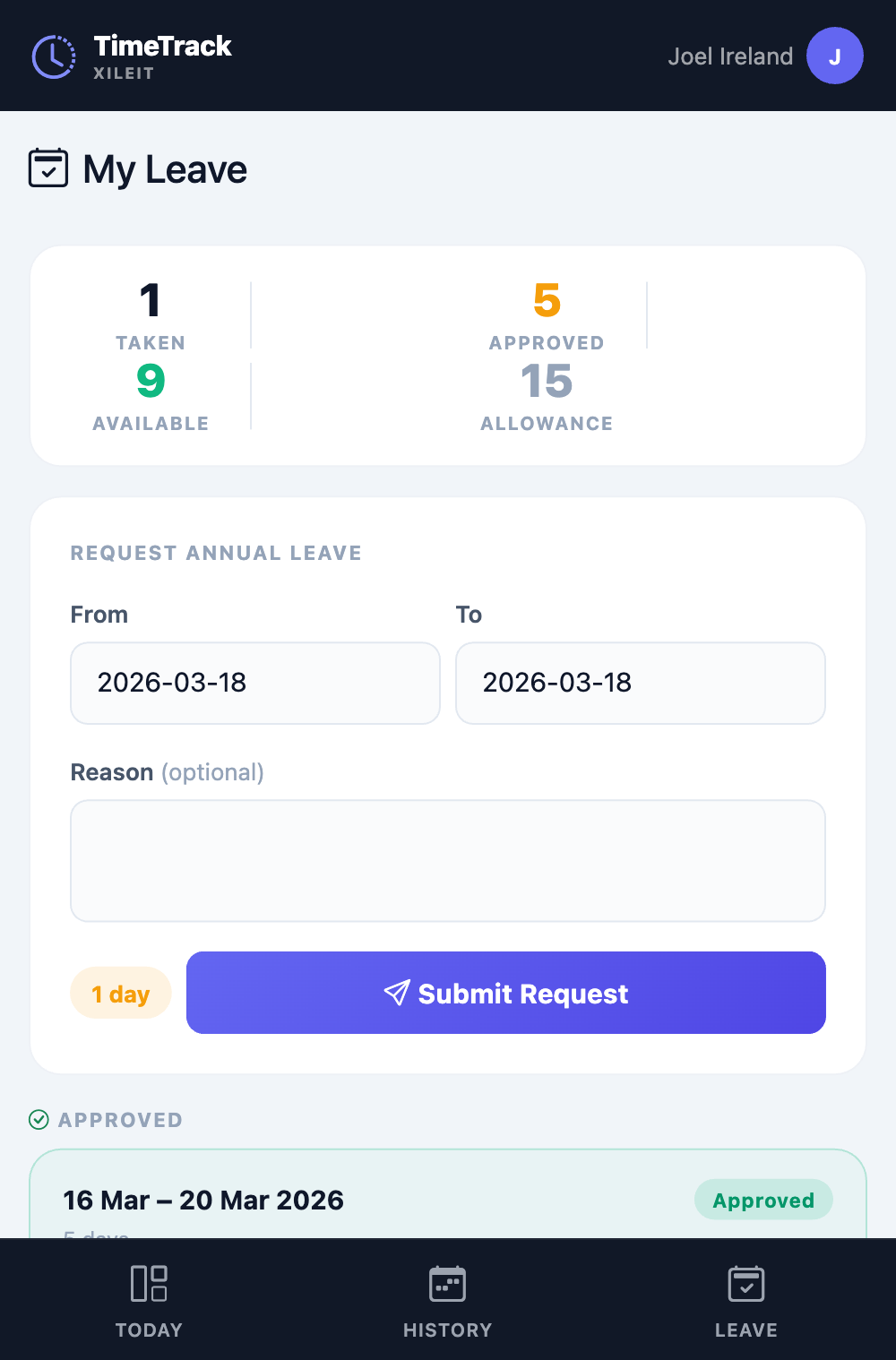
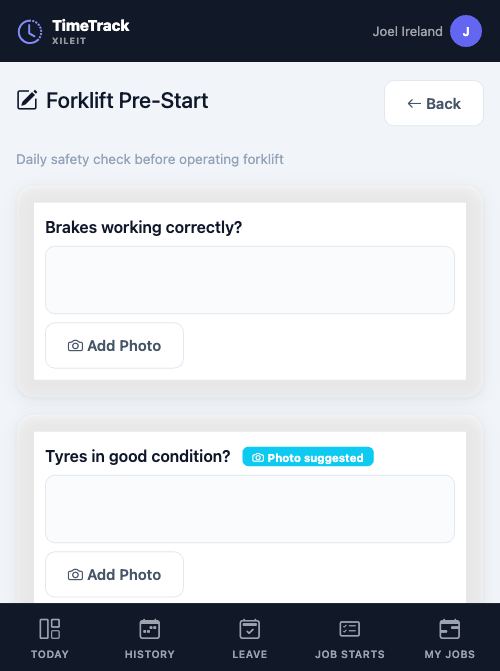
TimeTrack works as a PWA on any device. No app store download needed. Staff clock in, log duties, request leave, complete checklists, view scheduled jobs with maps — all from their phone.

Staff mobile clock in view
Clock In & Out
One-tap clock in with GPS. See current duty and job assignment.
Staff mobile history view
My History
Swipe through past entries. See clock times, totals, and duty log.
Staff mobile leave request
Request Leave
Check balances and submit leave requests. Manager approves with one click.
Staff mobile pre-start checklist
Pre-Start Checklists
Complete safety checklists on site with text answers and photos before starting work.
Staff mobile today's jobs with map
Today's Jobs
See scheduled jobs with address, map, and tap-to-navigate. Clock in directly.

Ready to see it for yourself?

Start a free 30-day trial. Full access, no credit card, set up in 2 minutes.

Start Your Free Trial